Just say what you fancy
Tell Kuchenly “three quick veggie dinners and a Sunday roast” - spoken or typed. It plans the week around your brief, then you keep it, tweak it, or shuffle a night.
“Three quick veggie dinners and a Sunday roast”
A quick chat becomes a full week of meals, matched recipes, and a list that sorts itself.
Out now on Android · iOS coming soon · Free to start · Or use the web app
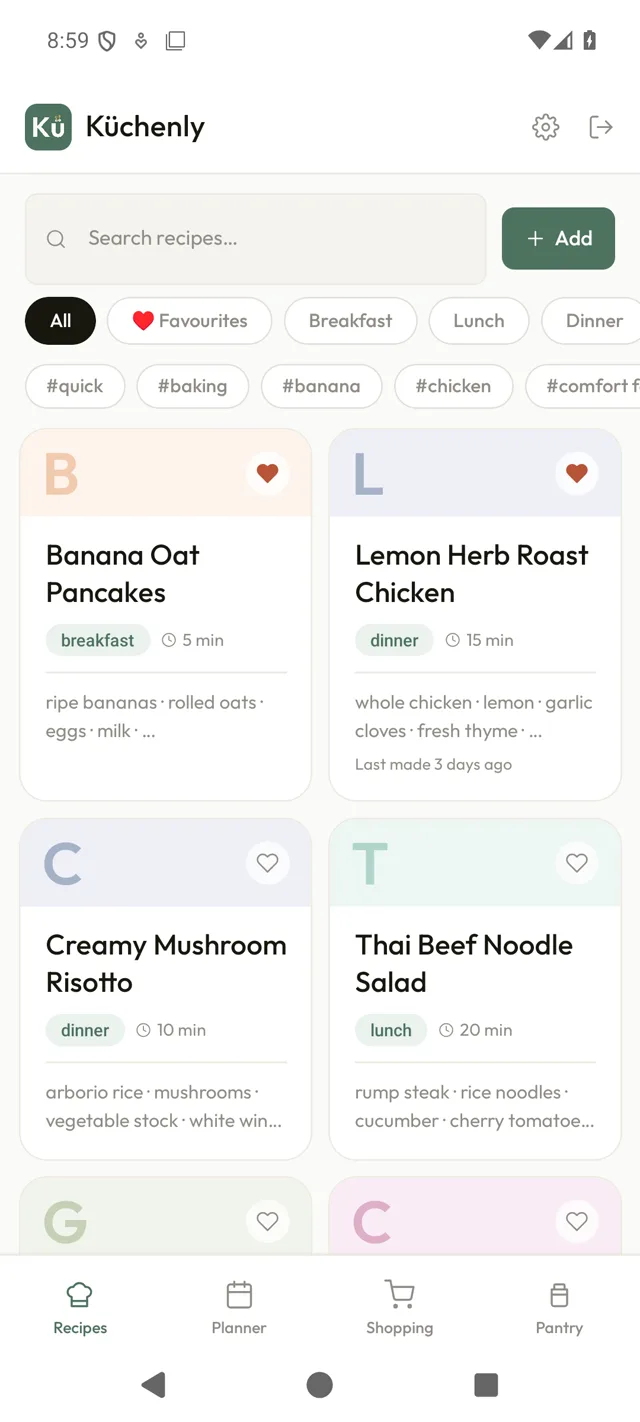
No more tabs, sticky notes, or 6pm panic. Kuchenly keeps planning, cooking, and shopping gently in sync.
Tell Kuchenly “three quick veggie dinners and a Sunday roast” - spoken or typed. It plans the week around your brief, then you keep it, tweak it, or shuffle a night.
“Three quick veggie dinners and a Sunday roast”
Share straight from Instagram, TikTok, or any website. Snap a cookbook page, paste a link, or just say it out loud.
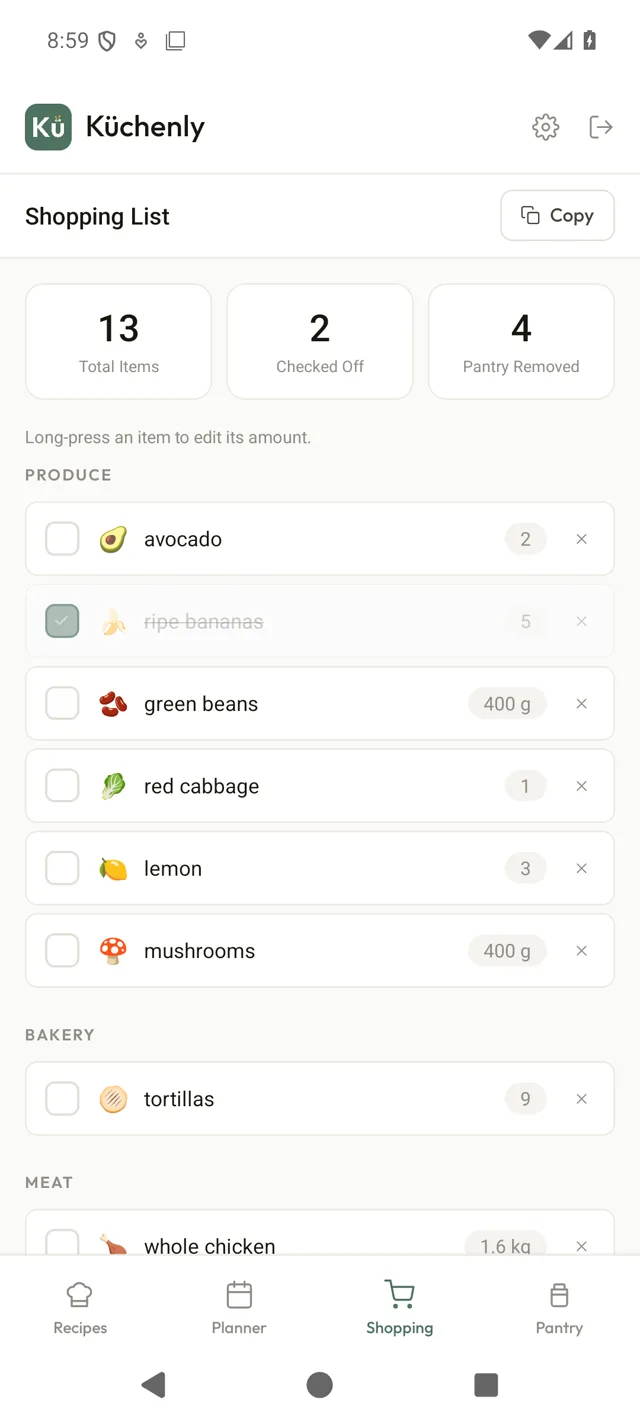
Every plan becomes one tidy shopping list, grouped by aisle and de-duplicated automatically.
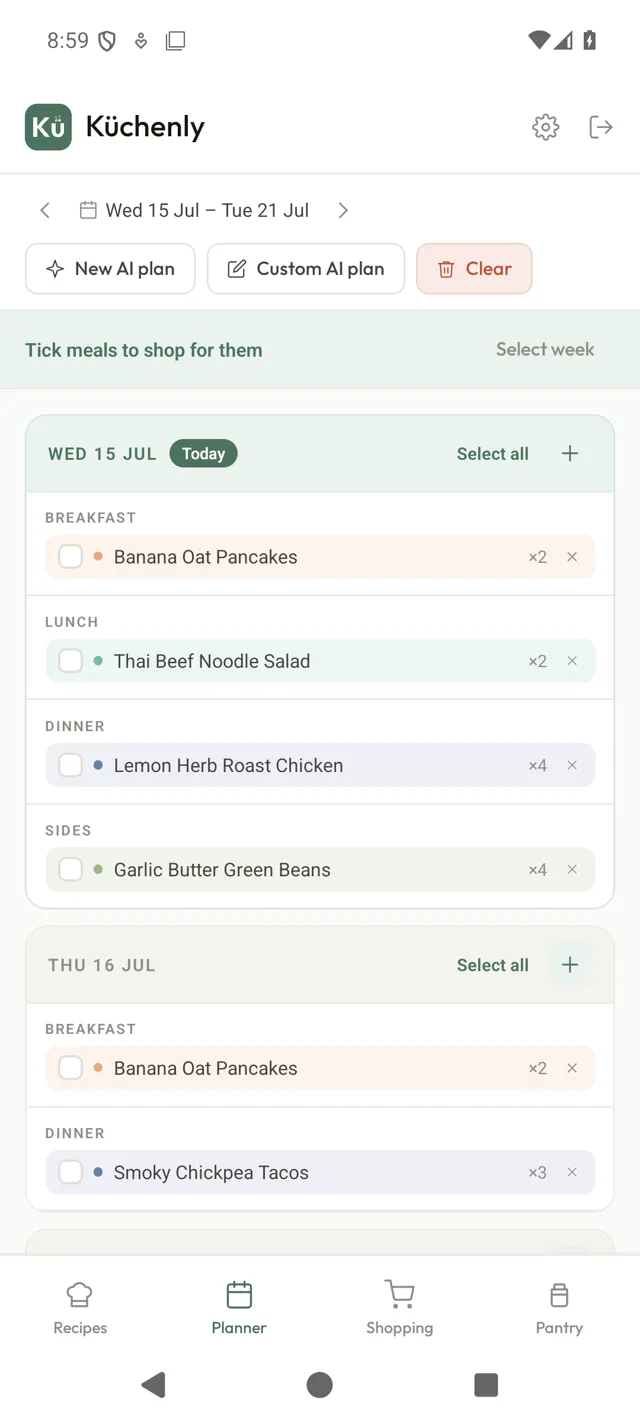
Add meals to any day, swap a night, tick the days you’re shopping for - your whole plan at a glance.
Track what you have and Kuchenly cooks it down first - less waste, fewer last-minute runs.
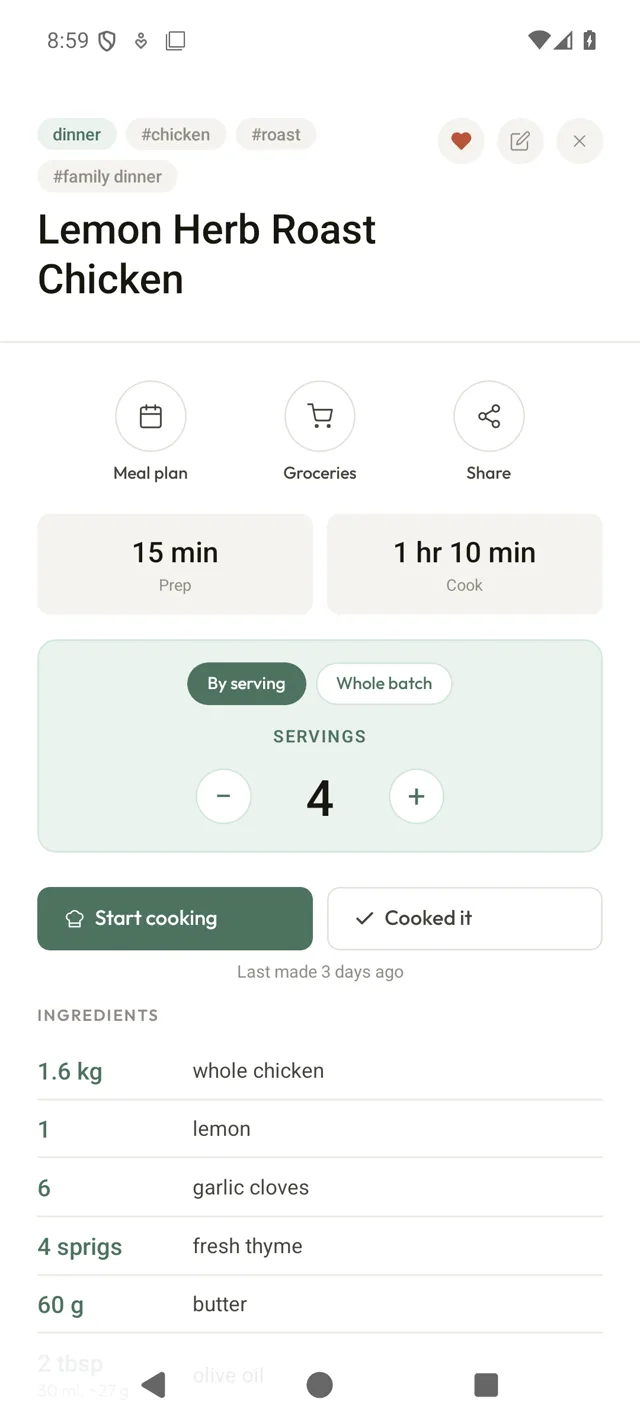
Step-by-step cooking that keeps the screen awake, timers that start with a tap, and recipes that scale to your servings.
Meal planning, made calm.
Most weeks take about two minutes. You talk, Kuchenly plans, the list writes itself.
Start this week’s planSpeak or type a few words about nights out, leftovers, and who you’re cooking for.
A balanced week of recipes appears in seconds. Keep it, tweak it, or shuffle a night.
Take the auto-built list to the shops, then cook from clear, step-by-step recipes.
Ask for a fresh AI plan or build your own, then tick the meals you’re shopping for. Breakfast, lunch, dinner and sides all live on one screen.
Grouped by aisle, duplicates merged, and pantry staples you already own taken off. One list for the whole week, ready before you leave.
Every import becomes clean ingredients and steps. Scale the servings and the quantities follow, then cook hands-free.
Yes - Kuchenly is free to start on Android and in the browser, with no card needed. Plan your week, save recipes, and build shopping lists straight away.
Tell Kuchenly about your week in a quick chat - spoken or typed, like “three quick veggie dinners and a Sunday roast”. It builds a balanced 7-day plan from real recipes, and you can keep it, tweak it, or shuffle any night.
Yes. Share straight from Instagram, TikTok, or any website, paste a link, snap a photo of a cookbook page, or just say the recipe out loud - Kuchenly turns it into a clean, structured recipe.
Yes. Every meal plan becomes one shopping list grouped by supermarket aisle, with duplicate ingredients merged automatically and pantry staples you already have taken off the list.
Kuchenly is on Android via Google Play, and works in any browser at app.kuchenly.com. iOS is coming soon.
Looking for cooking inspiration? Browse our free weeknight recipes and meal-prep ideas.
Kuchenly is live on Google Play. Plan your first week in minutes, free to start, no card needed.
Android now · iOS coming soon · Or open the web app